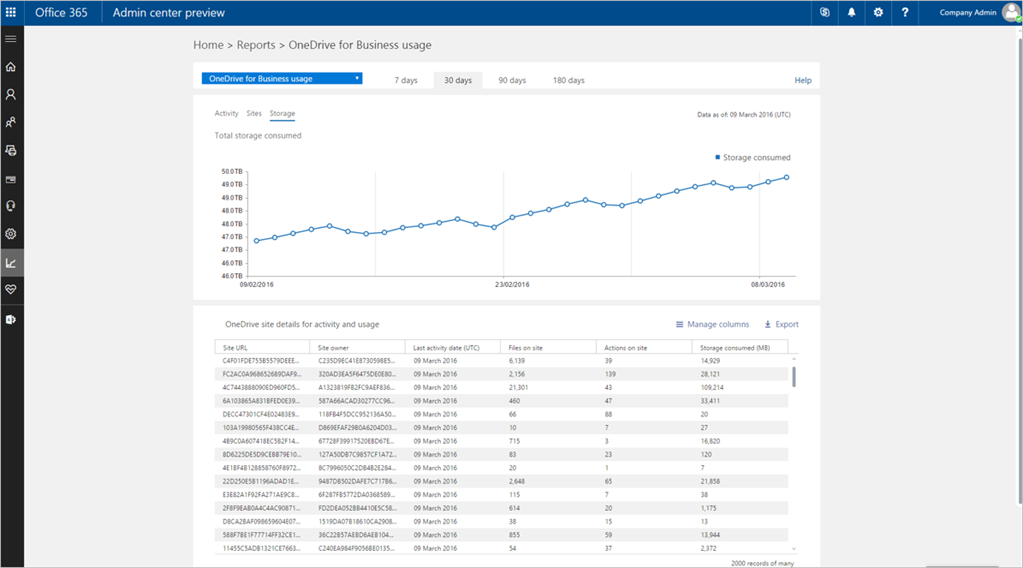
Microsoft has announced a new reporting portal, which will help in providing valuable insights about usage and details of the Office 365 service directly in the new Office 365 admin center, and it’s available now.
Microsoft in its official blog states,
“When we started the process of revamping reports in Office 365 about a year ago, it was extremely important for us to include customer feedback into the development process from the very beginning. The first version of the new reporting portal includes a new activity dashboard and a variety of new reports that provide consistent insights across all Office 365 services with a highly improved user experience.”
The centerpiece of the new reporting is a cross-service portal, which provides more visibility into your organization’s use of Office 365, hence making it easier for you to make decisions or report back to management. The graphs will provide you with visualized key data allowing you to quickly comprehend the information. You will also be able to see the number of users who have used each workload, along with the key summary of the activity taking place within the product. You will also be able to pivot the reports to different reporting periods (7, 30, 60 and 90 days) to identify trends.
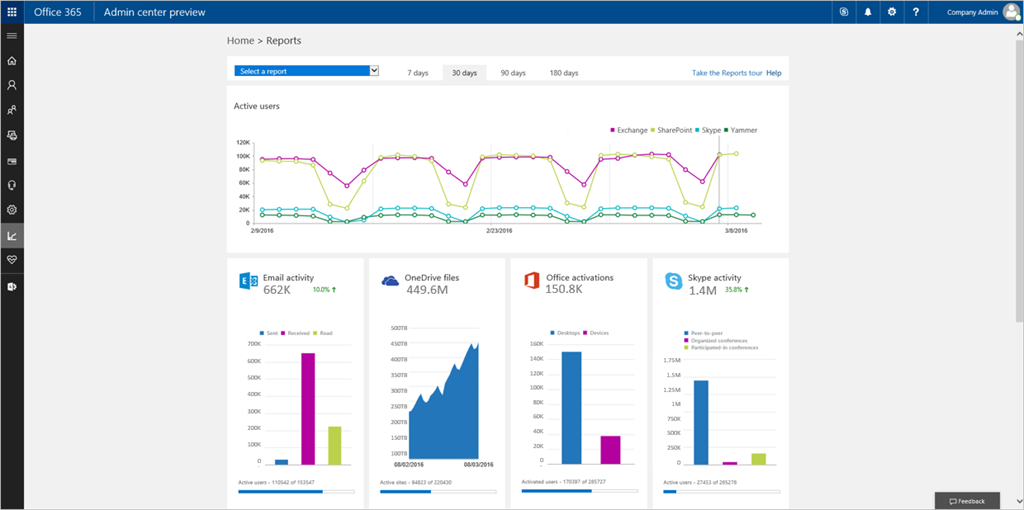 Image Source: blogs.office.com
The company states,
“When using Office 365, organizations want to have a clear understanding of the return on their investment. Especially during the rollout process, Office 365 admins often have to provide reports on a weekly or even daily basis showing how users are adopting it. The new reporting portal gives you a quick way to establish that you are getting value out of your Office 365 subscription by surfacing usage information for your Office 365 tenant as well as for each specific workload.”
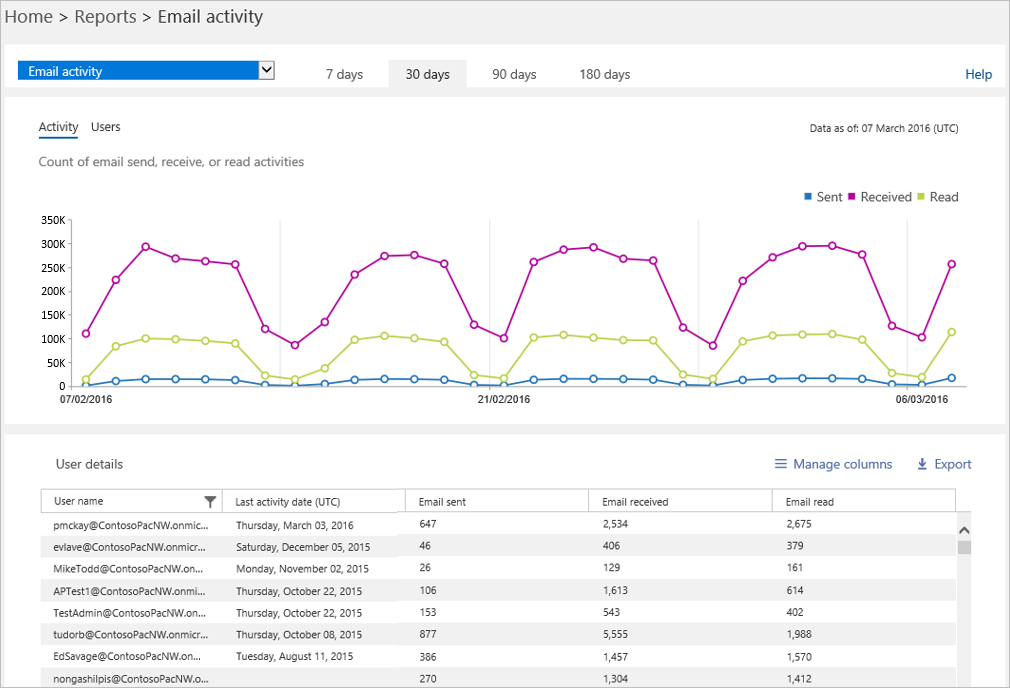 Image Source: blogs.office.com
The new reports provide you with the ability to drill down on single services and also access detailed information at the individual user level. In order to enhance productivity and usage of Office 365 among your users and to effectively plan training and communications you will need to understand each service and how the individual end users in your organization are consuming or not consuming the service.

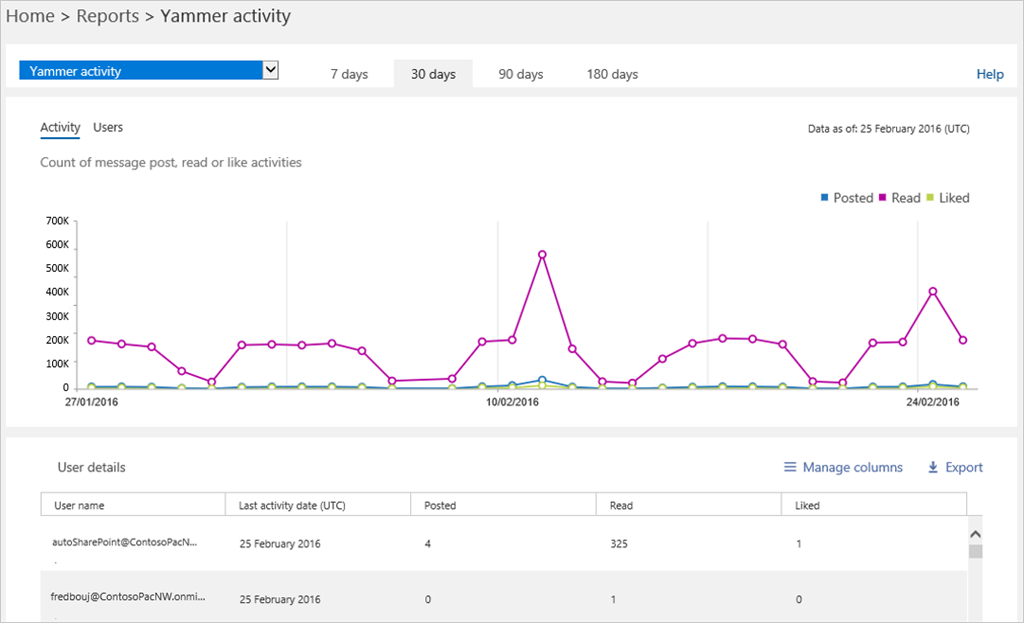 Image Source: blogs.office.com