SQLite is a popular relational database engine. It is a software library. SQLite developers call it self-contained and serverless. SQLite is a public-domain source code. SQLite implements most of the SQL-92 standard for SQL. It implements most of the SQL-92 standard for SQL Lnguage. These are absolutely free for private or commercial use. SQLite was written in the C language. All data is required to implement the database stored in an alone, cross-platform disk file. So far as SQLite is self-contained, it requires few external libraries and little support from the OS. It accesses storage files directly.
Serverless - It doesn’t demand distinct server process or system to move with SQLite.
Zero Configuration - In zero configuration which means administration needed or no setup.
Self-Contained - A solitary library contains the whole database framework, which coordinates directly into a host application.
Transactional - SQLite exchanges are completely ACID-consistent, permitting safe access from numerous procedures or threads.
Cross-Platform - Unix (Linux, Mac OS-X, Android, IOS) and windows (Win32, WinCE, WinRT) are supported out of the container, easy to port to different frameworks.
Uses for SQLite
- Application File format
- Database For Gadgets
- Small and medium size Website Database
- Stand-in for an Enterprise RDBMS
How to install SQLite on Windows
Go to download SQLite database. Download SQLIte.
Follow the following steps
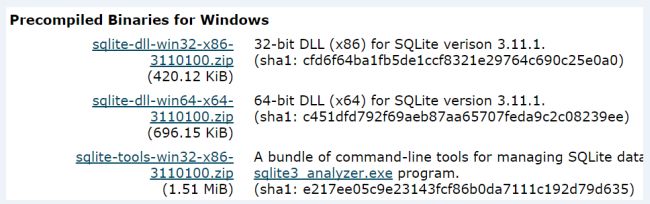
Step 1 - You need to download only "Precompiled Binaries for Windows" file for windows.
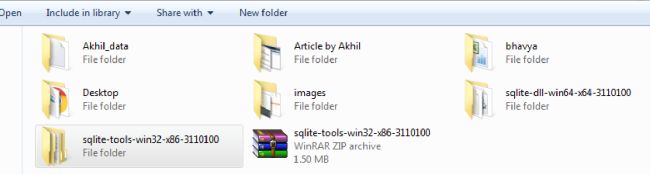
Step 2 - Extract the downloaded zip file.
Step 3 - Copy SQLite.exe file and paste in C/SQLIte folder.
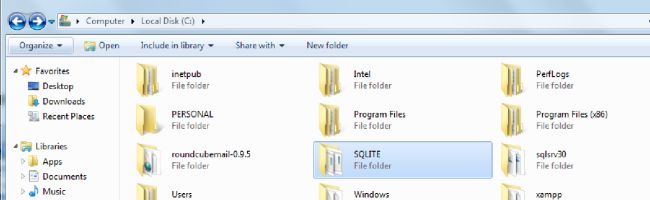
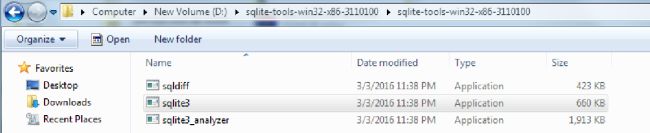
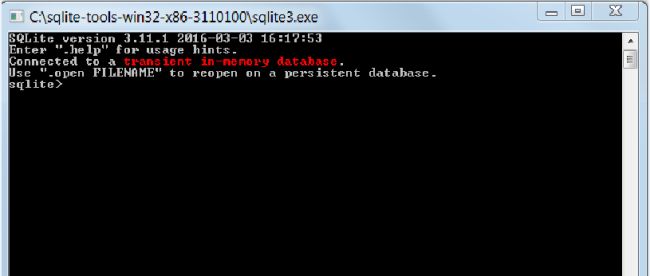
Step 4 - Open your sqlite3.exe, to reach SQLite directory.