
A view is a subset of a table and is very much equal to a table and does not contain any memory, that's why it is called "Virtual Table".
Views and virtual tables represent one or more table data at one time. We must use views when specific security permissions are needed, complex join t-sql queries, or query encryption etc.
Key points about views:
- Multiple views can be created based on one table.
- Views can be defined as read-only or updatable.
- Indexing can be done on view for better performance.
- Insert, update, delete operations can be done on view.
- It restrict the user's from accessing only specific data of the table.
Example showing why do we need view:
Let us suppose that in any organization, when the client is asking for an employee's details on a certain basis, but in this case the organization is not willing to display the personal data of employees like salary and address. So the developer of the organization will create a view from the existing data with salary and address column are not included for the clients. That is how a view can fulfill the requirement.
Example of existing Views in SQL Server
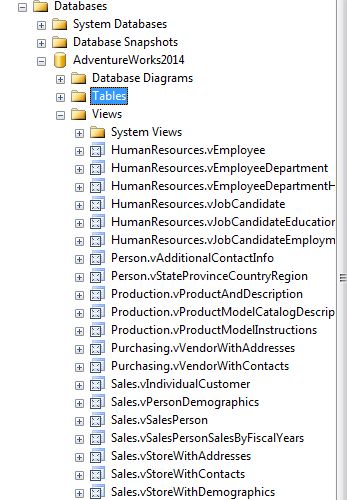
Syntax:
- Create View view_name As SELECT column_name(s) FROM table_name WHERE condition
There are mainly 2 types of view
- Simple view - It is created by using simple select statements.
- Complex View - It is created by using select statement containing order by, group by and joins.
Example of Creating a Simple view:
-
Create view Simple_view as Select e.Emp_Id, e.EmployeeName, e.EmpSalary, e.StateId, e.CityId from Employee e where e.EmployeeName LIKE '[C-K]%'
-
Select * from Simple_view // to display view data.
Example of Creating a Complex View:
-
Create view Complexview as select e.EmpId,e.Name,e.ContactNo, l.Location from Persons e inner join Orders l on e.EmpId=l.EmpId
-
Select * from Complexview // to display view data.
